
ACP and Editor Integrations
Imza can run inside your editor instead of the terminal. The editor hosts the chat panel, and Imza does the work: same tools, same permissions, same sessions. The connection uses the Agent Client Protocol (ACP), which most editors now support.
Before You Start
Two things, both done once:
- Imza must be on your
PATH, or you must know its full path. Runwhich imzain a terminal. If that prints nothing, use the absolute path in the steps below. - Connect a provider in the terminal first. Run
imza, use/connect, and pick a model. Editor sessions reuse that configuration, and there is no sign-in screen inside the editor.
Then follow the section for your editor. Imza is added as a custom agent in each one, because it is not in the editors’ built-in agent lists.
Zed
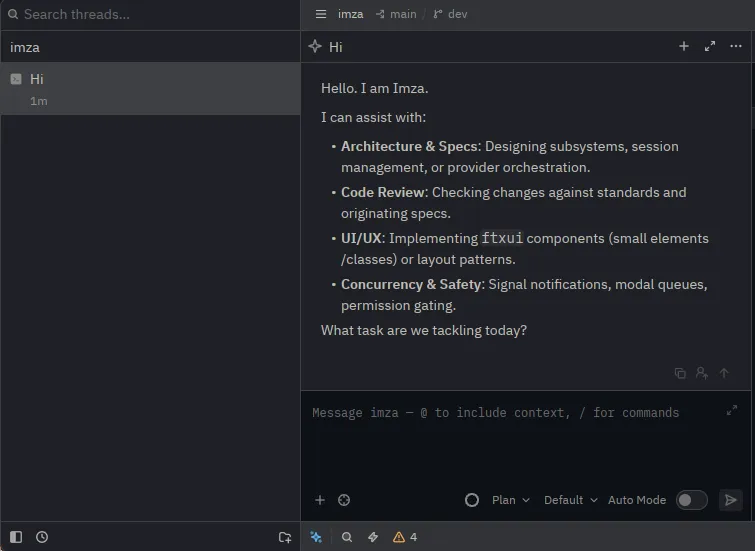
Zed created ACP, so its support is the most complete.
- Open the agent panel from the toolbar, or run
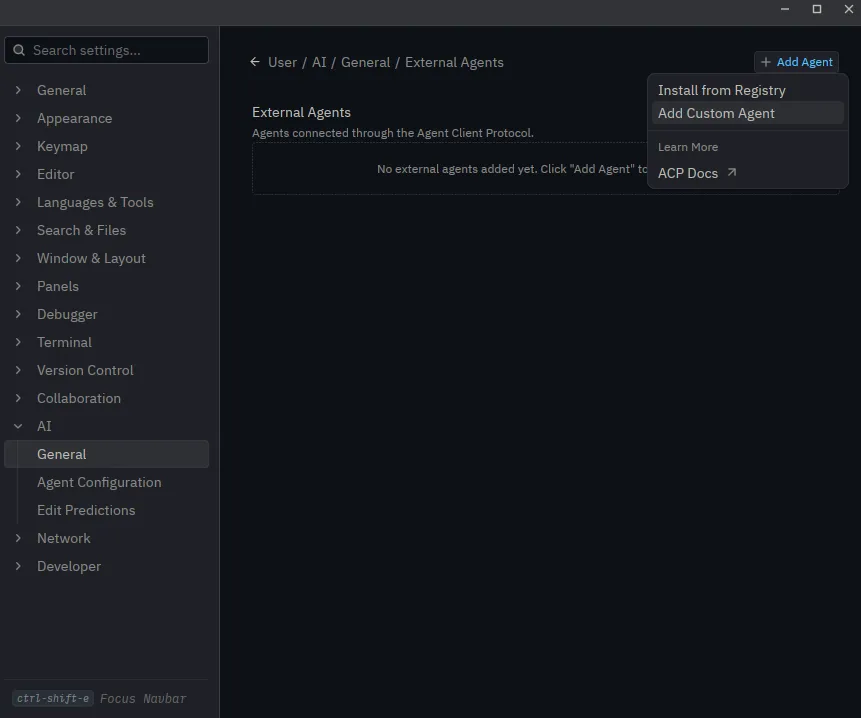
agent: new threadfrom the command palette. - Click the agent selector and choose Add Agent, then
Add Custom Agent. Zed opens
settings.jsonwith a new entry. - Fill the entry in:
{
  "agent_servers": {
    "imza": {
      "type": "custom",
      "command": "imza",
      "args": ["--acp"]
    }
  }
}
Zed picks the change up without a restart. Select imza from the agent selector and send a prompt.
JetBrains IDEs
IntelliJ IDEA, PyCharm, WebStorm, and the rest of the family host ACP agents through the AI Assistant plugin. You need IDE version 2025.3.2 or later.
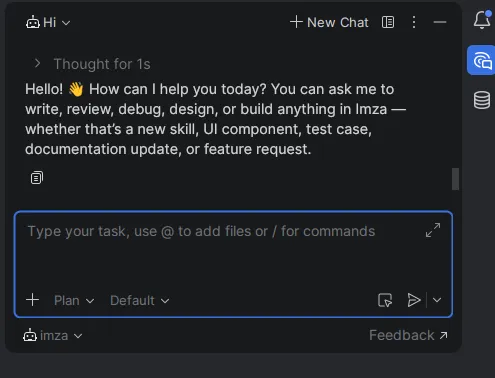
- Open the AI Chat tool window. If the plugin is missing, click Install Plugin there first.
- Open Settings | Tools | AI Assistant | Agents.
- Click Add Custom Agent. The IDE creates
~/.jetbrains/acp.jsonand opens it. - Add the imza entry:
{
  "agent_servers": {
    "imza": {
      "command": "/path/to/imza",
      "args": ["--acp"]
    }
  }
}
Use the absolute path here; the IDE does not always inherit your shell’s
PATH. Save the file, then select imza in the AI Chat agent picker.
Neovim
Three plugins speak ACP: CodeCompanion.nvim, avante.nvim, and
agentic.nvim. Each takes the same two values, the command and the argument:
-- agentic.nvim, as an example
require("agentic").setup({
  agents = {
    ["imza"] = { command = "imza", args = { "--acp" } },
  },
})
See the plugin’s own documentation for its setup shape; the ACP fields are the same everywhere.
Other Editors
Any ACP client works. You need to give it two things:
| Field | Value |
|---|---|
| Command | imza, or the absolute path to it |
| Arguments | --acp |
Emacs (agent-shell.el), Sublime Text, Qt Creator, and Obsidian all have ACP
clients. If your editor asks for a JSON entry, it is the same shape as the Zed
one above.
What Works
Everything you do in the terminal, except the panes listed below:
- Prompts, streamed replies, and reasoning.
- Tool calls with their status and output. A Lua run appears as one call
titled with what it did, for example
Executed · 2 reads · 1 command. - Approvals. The editor shows the request with Allow once, Allow for this session, and Reject, exactly like the terminal modal.
- The task list, context usage, and compaction.
- Plan and Build modes, model selection, and reasoning effort, through the editor’s session settings.
- Stopping a turn with the editor’s stop button.
What Stays in the Terminal
Some things have no equivalent in the protocol:
- The plan document, build log, and review pane. Use the terminal for the Plan → Build → Review loop.
- The side panel and its widgets.
- Provider sign-in. Run
/connectin the terminal before starting an editor session. - MCP server management. Imza uses the servers from its own configuration and ignores any the editor offers.
Sessions
Editor conversations are ordinary Imza sessions with one difference: they are
tagged with the editor that created them. The terminal lists only terminal
sessions, and each editor lists only its own, so the two never mix. All of them
count toward /usage.
Close the editor, reopen it later, and the conversation is still there: the editor asks for the same session id and Imza replays the transcript into the panel.
Troubleshooting
| What you see | What it means |
|---|---|
| The agent does not appear in the list | The command path is wrong. Run which imza in a terminal and use the absolute path. |
| The session starts but every prompt fails | No model is selected. Run imza, use /connect and /model, then restart the editor session. |
| Approval prompts never appear | The editor is not rendering the permission request. Update the client; older versions drop it. |
| “No such file or directory” on start | Imza is not on the editor’s PATH. Use the absolute path, as in the JetBrains example. |
Zed can log the protocol traffic: run dev: open acp logs from the command
palette and include the output in a bug report.